My next goal was to print two cylinders whose axes intersect at right angles and the volume common to both, otherwise known as the Steinmetz solid. I began by modeling these objects in Mathematica so I could import the objects to Cinema 4D as well as create an interactive Mathematica worksheet about these objects.
Here are the Mathematica representations of two objects I planned to print:

I exported the top object as a .wrl file into Cinema 4D since it was already a solid.
For the bottom object, I decided it would easiest to create it from scratch in Cinema 4D using the “Tube” object and simply adjusting the dimensions and orientation.
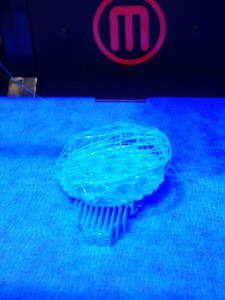
I attempted to print the intersecting  cylinders on the Afinia printer in the Math Department. It failed to finish printing because the filament got tangled coming off of the spool. However this was not a complete fail since it shows the inside of the two cylinders and can still be used as a teaching tool.
I am currently attempting to reprint it and will see how it goes!
Update: The filament got tangled once again while I was printing resulting in a similar object to the one above. We decided that these were both better teaching tools than the original design and decided not to try to print again. 
I printed the Steinmetz solid on the MakerBot 2x and had great results! This object can be found on Thingiverse here and here.


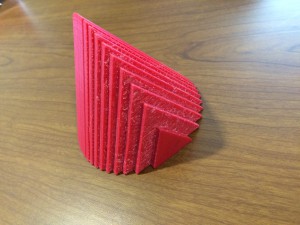 When I went to print my object upright I ran into some problems. It seemed that I had forgotten to merge part of the object and it was printing the inner walls upright which resulted in double the print time and cost. I rotated the object so that the slices were parallel to the build bed – this meant the print required supports. It now looked correct in print preview and printed correctly. My final object from this print looked good, but was rough on one side from removing the supports and I knew if I could fix my problems I would be able to print it with a hollow inside and without supports.







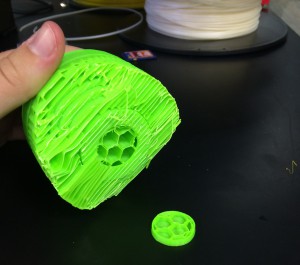
 First, the nozzle of the printer became clogged, resulting in a mess of plastic as shown below. We didn’t know what the problem was at this point so we tried twice more only to result in the same mess of plastic filament.
